

7 Website Accessibility Compliance Mistakes Costing US Businesses in 2026
If you have ever gotten a demand letter about your website, or heard that a competitor did, you already know that website accessibility compliance is not a theoretical problem anymore. It is a legal and financial one, and it is landing on the desks of small business owners who never thought of their website as a legal liability, often after years of treating the site as a “set it and forget it” asset rather than something that needs the same ongoing attention as any other part of the business.
According to industry accessibility litigation trackers such as UsableNet’s annual digital accessibility lawsuit report, several thousand ADA-related website lawsuits are filed against US businesses every year, and small and mid-sized companies now make up a growing share of the targets, not just large retailers. Litigation trends have continued to expand beyond e-commerce into service businesses, healthcare, and local retailers. (Editor’s note: confirm and cite the exact current-year figure from the latest UsableNet or Seyfarth Shaw ADA Title III report before publishing – this draft uses directional framing only, not a verified statistic.)
Why Website Accessibility Compliance Risk Is Rising for US Businesses
Three things are converging at once. First, the Department of Justice has been actively clarifying that the ADA applies to websites and mobile apps, not just physical locations. Second, plaintiffs’ firms have automated the process of scanning thousands of sites for obvious violations, which means small businesses are no longer flying under the radar. Third, WCAG itself keeps evolving, so a site that was “compliant enough” three years ago may already be behind on website accessibility compliance without anyone on the team realizing it.
Quick answer: Website accessibility compliance means your site can be used by people with visual, auditory, motor, or cognitive disabilities, typically measured against the WCAG 2.2 AA standard. Non-compliance creates real legal exposure under the ADA and, for certain sectors, Section 508, and the fastest-growing source of new lawsuits is small business websites that have never had an accessibility audit. The good news is that most of the work involved isn’t exotic. It’s a set of well-documented, learnable practices that a competent development team can implement and test methodically, which is exactly why we walk through the most common gaps below instead of leaving this as an abstract legal warning.
For a broader look at how compliance gaps show up across an entire tech stack, not just the website layer, see our breakdown of common IT mistakes small businesses make.
What WCAG 2.2 Actually Requires for Website Accessibility Compliance
WCAG (Web Content Accessibility Guidelines) is organized around four principles: content must be perceivable, operable, understandable, and robust. Most businesses aim for WCAG 2.2 Level AA, which is the de facto legal benchmark referenced in most US settlements and consent decrees.
In practice, Level AA means:
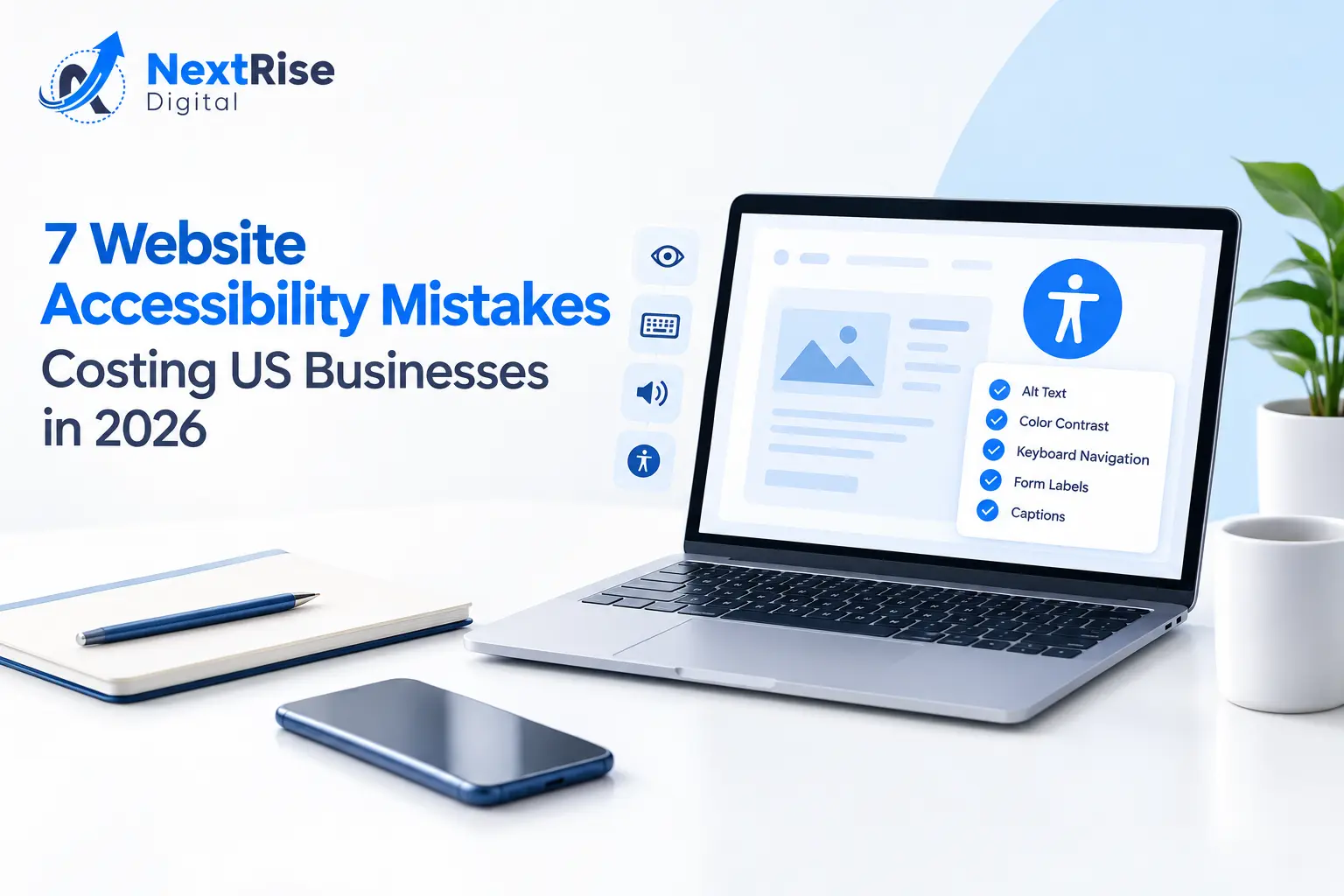
- Text has enough color contrast to be readable by people with low vision.
- Every interactive element can be operated with a keyboard alone, not just a mouse.
- Images have meaningful alt text so screen readers can describe them.
- Forms have clear labels and error messages that assistive technology can announce.
- Video content has captions, and audio content has a transcript.
However, meeting these standards is not a one-time checklist. As we’ve discussed in our development process, accessibility has to be built into how a site is designed, coded, and QA’d on an ongoing basis, not bolted on after launch.
The 7 Most Common Website Accessibility Compliance Mistakes
Here is what we consistently find when we audit a client’s site for website accessibility compliance for the first time, ranked roughly by how often we see each one. These ADA website compliance gaps show up across nearly every industry we work with.
1. Missing or Useless Alt Text
Images with no alt attribute, or alt text like “image1.jpg,” are invisible to screen reader users. This is the single most common issue and often the easiest to fix.
2. Low Color Contrast
Light gray text on a white background looks modern, but it fails WCAG contrast ratios and is difficult for a large share of users to read, not just those with diagnosed vision impairments.
3. Keyboard Traps and Missing Focus States
If a user tabbing through your site with a keyboard gets stuck in a menu or can’t see which element is focused, that’s a hard failure. This disproportionately affects users with motor disabilities who cannot use a mouse.
4. Forms Without Proper Labels
A checkout or contact form where the label disappears once you click into the field looks clean visually, but a screen reader has no way to announce what the field is for.
“Next Rise Digital caught issues on our booking form that our previous developer missed for two years. They didn’t just hand us a report, they fixed the highest-risk items first and walked us through the rest.”– Dana Reyes, Operations Director, Reyes Home Services
5. No Captions on Video Content
Product demos, testimonial videos, and webinars without captions exclude deaf and hard-of-hearing users, and also hurt engagement metrics for anyone watching without sound.
6. Inaccessible PDFs and Downloads
Scanned PDFs with no text layer, or documents missing heading structure, are one of the most frequently cited issues in accessibility complaints, and one of the most overlooked.
7. Pop-Ups and Modals That Trap Focus
A newsletter pop-up that a keyboard user cannot close is not just annoying, it is a documented WCAG failure, and it’s often the first thing an automated scanner flags.
Here’s what this looks like in practice: a regional home services client came to us after receiving a demand letter over a booking form with unlabeled fields and a color-contrast failure on its call-to-action buttons. The scan that triggered the letter took the plaintiff’s firm minutes to run. The fix, once prioritized, took our team under two weeks to remediate across the core booking flow, with a phased plan for the rest of the site.
If your site is showing broader signs of underperformance beyond accessibility, it’s worth reading our piece on signs your website is losing customers, since accessibility issues often overlap with usability and conversion problems.
The Legal Landscape: ADA, Section 508, and Website Accessibility Compliance
Understanding what actually creates legal exposure helps separate real risk from vague anxiety. Three layers of law tend to come up in website accessibility compliance conversations, and they don’t all apply the same way to every business.
The Americans with Disabilities Act (ADA) is the primary source of website accessibility litigation for private businesses. Title III of the ADA prohibits discrimination in “places of public accommodation,” and courts across multiple federal circuits have increasingly interpreted that to include commercial websites, particularly ones connected to a physical business like a restaurant, retailer, or service provider. The ADA itself doesn’t name a specific technical standard, which is part of why WCAG 2.2 AA has become the de facto benchmark referenced in settlements and consent decrees, even though it isn’t formally written into the statute.
Section 508 applies specifically to federal agencies and organizations that receive federal funding or contracts. If your business sells to government agencies, works as a federal contractor, or receives federal grants, Section 508 compliance often becomes a contractual requirement, not just a best practice, and procurement teams may ask for a formal Voluntary Product Accessibility Template (VPAT) before signing a contract.
State-level laws add another layer in certain states. California’s Unruh Civil Rights Act, for example, has been used in a significant share of website accessibility lawsuits nationally, partly because it allows for statutory damages per violation, which raises the financial stakes beyond what federal ADA claims alone typically involve. New York has also seen a high volume of website accessibility filings under state human rights law. If your business operates in, sells into, or is headquartered in either state, that materially changes your risk profile compared to a business operating only in states with less litigation activity.
It’s worth being direct about what this means in practice: there is no single certification that makes a website “legally accessible” in a way that guarantees immunity from a lawsuit. What exists is a spectrum of risk, and a documented, good-faith effort toward WCAG 2.2 AA compliance, paired with an ongoing remediation plan, is the strongest practical position a business can take. Businesses that treat accessibility as a one-time checkbox rather than an ongoing practice tend to be the ones caught flat-footed when a new demand letter arrives referencing an issue that was actually fixed on one page but never addressed site-wide.

Accessibility and SEO: Where They Overlap
Accessibility work and SEO work share more technical overlap than most business owners realize, which is one reason we handle web accessibility compliance for small business sites together with SEO rather than treating accessibility as an isolated legal task.
Descriptive alt text, which screen readers rely on to describe images, is the same signal search engine crawlers use to understand what an image shows, since crawlers can’t “see” an image either. A site with thoughtful, specific alt text tends to perform better in image search results than one with missing or generic alt attributes.
Proper heading structure (a single H1, logically nested H2s and H3s) helps screen reader users navigate a page by jumping between headings, and it’s also one of the clearest signals search engines use to understand a page’s content hierarchy. Sites that skip heading levels for visual styling reasons, using an H4 because it “looks right” rather than because it’s the correct structural level, create problems for both audiences at once.
Clear, descriptive link text (“view our case studies” instead of “click here”) helps screen reader users who often navigate a page by pulling up a list of links in isolation, and it also gives search engines more context about what the linked page is about than a vague “click here” ever could.
Site speed and clean code, both accessibility considerations for users on older assistive technology or slower connections, are also core Core Web Vitals ranking factors. In practice, a well-built, accessible site tends to score better on technical SEO audits than one where accessibility was never considered, simply because the same underlying practices, clean semantic HTML, thoughtful information architecture, and fast load times, serve both goals simultaneously.
None of this means accessibility work is “free SEO,” and it shouldn’t be pursued only for that reason. But it does mean that budgeting for accessibility remediation isn’t purely defensive spending against legal risk. It’s also an investment that can measurably support your existing SEO efforts, which is worth factoring into how you prioritize the work internally.
What Website Accessibility Compliance Actually Costs
The cost of website accessibility compliance varies widely depending on how the site was built and how many pages and templates are involved, and business owners are often surprised by how much variance exists even within what looks like the same general category of “small business site.” As a rough benchmark:
| Site Type | Typical Audit Scope | Typical Remediation Range |
|---|---|---|
| Small brochure site (5-15 pages) | Manual + automated audit | $1,500 – $4,000 |
| Mid-size site with forms/e-commerce | Full WCAG 2.2 AA audit | $4,000 – $12,000 |
| Enterprise site with custom components | Audit + component-level remediation | $12,000+ |
These figures are directional, not a quote, since the real cost depends on how many custom templates, third-party plugins, and legacy pages are involved. For a more detailed breakdown of how agency pricing works generally, our guide on SEO costs for small businesses covers a similar “it depends, here’s what drives the number” framework that applies to accessibility work too.
It is worth saying plainly: no agency can guarantee you will never receive a demand letter, and anyone who promises “instant” full compliance is overselling. What a proper audit and remediation plan can do is close the obvious gaps that make your site an easy target, and put a documented process in place that shows good-faith effort, which matters in how these cases typically resolve.
How to Choose a Website Accessibility Compliance Partner
Not every developer or agency that says they “do accessibility” actually tests for website accessibility compliance properly. Here’s what to look for before hiring anyone to audit or remediate your site.
Ask how they test, not just what tool they use. Automated scanners like axe, WAVE, or Lighthouse are useful starting points, but they only catch a portion of real-world issues, typically well under half. A legitimate audit combines automated scanning with manual keyboard navigation testing and, ideally, testing with an actual screen reader like NVDA or VoiceOver on your core user flows, not just the homepage.
Ask for a prioritized report, not just a violation count. A report that lists “247 issues found” without prioritization is not actionable. A useful audit separates issues into legal-risk-critical, usability-impacting, and lower-priority polish items, so you can fix what matters most first instead of getting overwhelmed by a long list.
Be skeptical of “instant compliance” claims. Any vendor, especially overlay-widget companies, promising full ADA compliance from a single script installed on your site is overselling what’s technically possible. Overlays can improve some surface-level issues but cannot fix structural problems like broken form labels or non-functional keyboard navigation, and several overlay vendors have themselves been named as co-defendants in accessibility lawsuits for providing incomplete coverage.
Confirm accessibility becomes part of ongoing QA, not a one-time project. A one-time fix addresses today’s site. But if your team adds new pages, new forms, or a new feature next quarter without accessibility testing built into that process, you’re back to square one within months. Ask any potential partner how accessibility testing fits into their standard QA process for future changes, not just the initial remediation.
Ask to see real audit output, not just a sales pitch. A credible partner should be willing to walk through an example of a past audit (with client details anonymized) so you can see the level of detail and prioritization you’d actually receive, rather than taking their capability on faith.
How Next Rise Digital Approaches Website Accessibility Compliance
We treat website accessibility compliance as part of quality assurance, not a separate add-on project. When we build or maintain a site, our QA testing process includes automated scanning plus manual keyboard and screen-reader testing on core user flows, because automated scanners alone catch roughly 30-40% of real issues, and the rest require a human tester.
For clients who come to us reactively, after a complaint or a legal letter, we start with a prioritized audit: what’s a legal exposure risk today, what’s a usability issue that should be fixed regardless, and what’s a lower-priority polish item. That triage is part of the broader Next Rise Digital process we use across every engagement, not something we improvise per client.
If you’d rather see this in action than take our word for it, our case studies page includes examples of how we’ve approached similar remediation projects for other clients.
Key Takeaways
- ADA website lawsuits against US small businesses have been rising year over year, and automated scanning means no business is too small to be targeted.
- WCAG 2.2 Level AA is the practical legal benchmark most website accessibility compliance audits and settlements reference.
- The seven most common failures (alt text, contrast, keyboard access, form labels, captions, PDFs, and modals) account for the large majority of issues we find in first-time audits.
- Remediation cost depends heavily on site complexity, but a phased, prioritized fix is realistic for most SMB budgets.
- A one-time fix is not enough; accessibility needs to be part of ongoing QA, not a single project.
If your site hasn’t had a website accessibility compliance audit, or you’ve received any kind of complaint, the fastest next step is a scoped audit rather than guessing at the risk. You can book a free accessibility scoping call with our team and get a prioritized list of what actually needs fixing first, not a generic report.

FAQs
Do small businesses actually need to worry about website accessibility compliance?
A: Yes. Litigation trackers show small and mid-sized businesses are an increasing share of accessibility lawsuit targets, largely because plaintiffs’ firms use automated scanners that don’t care about company size.
What is the difference between WCAG 2.1 and WCAG 2.2?
A: WCAG 2.2 adds new success criteria around focus visibility, target size, and authentication, building on 2.1’s requirements rather than replacing them. Most current audits target 2.2 AA.
Can an accessibility overlay widget make my site compliant?
A: Overlay widgets can help with some surface-level issues, but they cannot fix structural problems like missing form labels or broken keyboard navigation, and several have themselves been named in lawsuits for incomplete coverage.
How long does a website accessibility audit take?
A: For a typical SMB site, a combined automated and manual audit takes one to two weeks, depending on page count and how many user flows (forms, checkout, booking) need manual testing.
How much does it cost to fix website accessibility issues?
A: Small sites typically run $1,500-$4,000 for audit plus core remediation, while larger sites with e-commerce or custom components can run $12,000 or more, depending on scope.
Is website accessibility only about avoiding lawsuits?
A: No. A significant share of US adults live with a disability that can affect how they use a website, so accessible design also expands your addressable market and generally improves usability and SEO for everyone.
What happens if I receive an ADA demand letter about my website?
A: Don’t ignore it, but don’t panic-fix issues randomly either. Have a qualified developer or accessibility consultant review the specific claims, prioritize genuine violations, and document your remediation timeline, since a documented good-faith response is a meaningfully stronger position than silence or a rushed, incomplete fix.
Does accessibility work help with SEO too?
A: Yes, indirectly. Alt text, heading structure, descriptive link text, and site speed are all shared priorities between website accessibility compliance and technical SEO, so ADA compliant website remediation work often improves both at the same time.